



Go to Windows platform Display platforms icon
Go to Windows platform Go to Mac platform Go to Android platform Go to iOS platform
Thorium Browser icon

Thorium Browser

124.0.6367.218
4.4 5 reviews
65.2 k downloads
security security

Chromium-based web browser with additional features

Advertisement
Remove ads and more with Turbo

Get the latest version

124.0.6367.218

Jul 3, 2024

Advertisement
Remove ads and more with Turbo
Alberto García icon
Reviewed by
Alberto García
Developer’s Operations and Support
Alberto García is part of Uptodown's in-house Editorial Team. Translated by Uptodown Localization Team

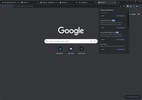
Thorium Browser is a lightweight web browser for Windows based on Chromium, whose name is based on the 90th element of the periodic table. The browser offers the same functionalities as Google Chrome, and adds many other features that are not found in the Alphabet company's web browser.

Improved performance on some processors

Thorium Browser improves Chromium performance as it is designed for processors that support AVX instructions. It also includes support for multimedia formats such as MPEG-DASH and HEVC, in addition to using JPEG XL as the default image format.

Advertisement
Remove ads and more with Turbo

Functions from other web browsers

Thorium Browser also includes upgrades found on other browsers, such as DNS over HTTPS patches from Bromite. It also makes use of Vanadium's Do Not Track to prevent you from being tracked when you visit different websites. When opening a new tab, the one with the search bar will always be opened by default, regardless of the web browser you have configured by default.

Types of page reloads

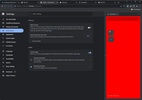
For web pages, Thorium Browser includes different types of page reloads. With the refresh button, you can do a normal refresh, force refresh, or perform a forced refresh along with clearing the cache. By doing the latter, you will ensure that you are viewing the latest version of that web page and not a cached version.

Download Thorium Browser and enjoy a Chromium-based web browser with features that will make your day-to-day life easier.

Information about Thorium Browser 124.0.6367.218

Basic information

Developer Alex313031
Category Web Browsers
Rating All ages
Languages English

Distribution model

Pricing Free
License BSD 3-Clause
Copyright © 2026 Alex313031
Why is this app published on Uptodown? (More information)

Security and privacy

Required permissions Not applicable
See security and antivirus report

Download info

Downloads 65,228
Date Jul 3, 2024
File type EXE
Size 157.74 MB
SHA256 c3ad8d0232982da72d0a377d7e4701bbb73c336dde92809d07e3a411c05992dd
Advertisement
Remove ads and more with Turbo
Available for other platforms

Rate this App

Review the app
Thorium Browser icon

Rating

4.4
5
4
3
2
1
5 reviews

Comments

david272 icon
david272
in 2025

The only issue is that you can't sync Chrome with this browser; you need to create an account.

Like
Reply
dangerousorangegiraffe43445 icon
dangerousorangegiraffe43445
in 2024

I like it

Like
Reply
Advertisement
Remove ads and more with Turbo
Brave Browser icon
A comfortable and secure ad-free browser
Mozilla Firefox icon
The best alternative for Internet browsing
Chromium icon
Try the new Chrome features before anyone else
DuckDuckGo icon
Browse with maximum privacy on PC too
K-Meleon icon
Navigate faster than you can imagine thanks to K-meleon
Pale Moon icon
A modern, powerful browser with add-on support
Falkon icon
A powerful and lightweight browser based on QtWebEngine
LibreWolf icon
A powerful browser with a focus on privacy and security
VLC Media Player icon
A powerful media player and streaming server
Rufus icon
Create boot disks from an external drive
Proton VPN icon
Powerful, free, secure and unlimited VPN
DLSS 5 Swapper icon
Install and manage DLSS 5 in games and emulators
DS4Windows icon
Use DualShock 4 controllers on your PC
SolidCraft icon
Design parametric 3D parts with an editable history on your PC
Craft Anything icon
Analyze any software or website and build your own version on your PC
CubicAdventurer icon
CubicAdventurer is a highly-configurable tabbed file manager
Google Chrome icon
Fast, clean and easy web browsing courtesy of Google
WhatsApp Desktop icon
The official WhatsApp app for Windows
Cisco Packet Tracer icon
Simulate all types of network equipment
SHAREit icon
Share files between Android, Apple and a PC without Internet
Internet Download Manager icon
Accelerate your downloads with this powerful download manager
Uptodown Desktop icon
Access Uptodown natively on Windows
Proton VPN icon
Powerful, free, secure and unlimited VPN
Telegram Desktop icon
Talk to all your Telegram contacts from the desktop